How to turn your WordPress website into markdown .dm files for AI agents
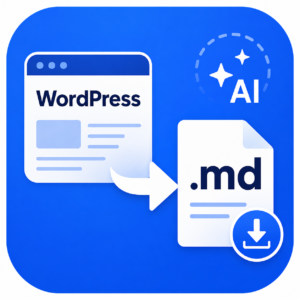
Download your WordPress site as .md markdown files to use with AI agents.
I’ve created a simple WordPress plugin that lets you export your website as clean Markdown files, so you can share your site content with AI agents.
It is designed for people who want to use tools like Claude, Codex, ChatGPT or other AI systems to understand, review or work with their website content.
The plugin lets you choose up to 15 key pages, automatically includes your 30 most recent posts and gives you a downloadable ZIP file containing clean Markdown files and a simple sitemap.
No scraping. No copying and pasting. No wrestling with messy website code.
Just select your pages, download the files and give your AI tool something useful to work with.
Buy the WordPress to Markdown Exporter plugin
What the plugin exports
The plugin is designed to export useful written content from your WordPress site without bringing along a lot of website clutter.
The plugin exports:
- Up to 15 selected pages
- Your 30 most recent published posts
- A simple sitemap.md file
- Clean Markdown files
- Page and post titles
- Headings and body text
It does not export images, design styling, forms, menus, scripts, tracking codes, private drafts or every page on your website.
It leaves your WordPress site untouched and does not save any files on your website.
The aim is not to create a full backup of your site. It is to create a clean, readable set of Markdown files that AI agents can understand and use.
How to install the AI Markdown Export plugin
The plugin is installed like any other WordPress plugin.
1. Download the plugin ZIP file to your computer. (Don’t unzip it)
2. Log in to your WordPress dashboard.
3. Go to Plugins > Add New.
4. Click Upload Plugin.
5. Choose the plugin ZIP file.
6. Click Install Now.
7. When WordPress has finished installing it, click Activate.
Once activated, the plugin adds a new export tool to your WordPress dashboard.
How to export your WordPress site as Markdown files
1. In your WordPress dashboard, go to Tools > AI Markdown Export.
2. You’ll see a list of your published pages.
3. Select up to 15 key pages to include in your export.
4. Your 30 most recent published posts will be included automatically.
5. Click Download Markdown files.
6. WordPress will create a ZIP file and download it to your computer.
The ZIP file contains clean Markdown versions of your selected pages, recent posts and a simple sitemap ready to share with your AI agent.
I help knowledge-based businesses and organisations get strategic about their content, so their ideas are clearer, visible and more likely to generate the right enquiries.
Book a no-obligation discovery call

I help knowledge-based businesses and organisations get strategic about their content, so their ideas are clearer, visible and more likely to generate the right enquiries.
Book a no-obligation discovery call
Read next!

Why this blog about Steve Jobs is a waste of everyone’s time
Sep / 2026
How to gather client testimonials that prove ROI and commercial value
Aug / 2026
Are meet the team pages pointless? I’d rather meet their expertise
Jul / 2026
Why doesn’t my consultancy website generate business leads? 10 common mistakes
Jul / 2026
How to grow your podcast audience with SEO and expert content so people find you on Google and AI
Jul / 2026
How do I stop guessing what to blog about and choose topics based on customer intent?
May / 2026
Why do potential customers read my blog but not contact me?
May / 2026
Should I use Substack for my business blog? Why it might not be the right solution if you are seeking higher value leads and conversations
May / 2026